Skip to content
Marketing Factory Digital GmbH
Contact
Logo Marketing Factory Digital GmbH
  • Agency
    • About us
    • History
  • Services
    • Consulting, Analysis and Strategy
    • Programming and Development
      • Interface Development
      • PIM/ERP Links
      • Custom Development
      • Seamless CMS Integration
    • Hosting and Support
      • Cloud Strategies
      • Hosting Partners of Marketing Factory
    • Services with Third Parties
  • Technology
    • TYPO3 Agency Marketing Factory
      • TYPO3 Upgrade vs. TYPO3 Relaunch
      • Current TYPO3 Versions: v12, v13
      • The TYPO3 Lifecycle
    • Shopware
    • IT Security
      • DDoS Protection
      • Continuous Upgrading
      • Privacy First
    • Tech Stack
      • Commitment to Open Source
      • Technology Selection
      • PHP Ecosystem
      • Containerisation & Clustering
      • Content Delivery Networks
      • Search Technologies
  • References
    • Projects
    • Clients
      • Client List
    • Screenshot of the homepage of the new Maxion Wheels websiteNEW: Relaunch of the corporate website of Maxion Wheels
  • Community
    • Community Initiatives
  • Blog
  • Contact
  • Deutsch
  • English

You are here:

  1. Blog
  2. How we automate container updates on mittwald
  • Hosting
  • Security
  • Tech Stack
16.01.2026

How we automate container updates on mittwald


We run several containers on mittwald - mainly Solr and n8n instances for various projects.

Container images get regular updates with new features and security patches. Clicking 'update' in the mittwald interface works fine for one or two containers, but becomes tedious when you're managing multiple projects.

Since we use :latest tags deliberately, we built a simple cron solution to handle updates automatically.
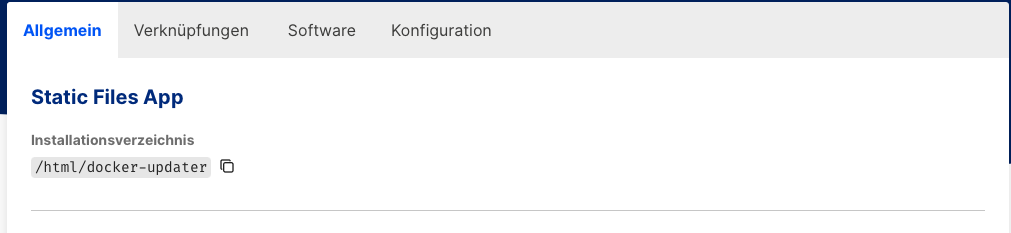
Show larger version for: Diese Grafik zeigt, wie ein Projekt angelegt wird.
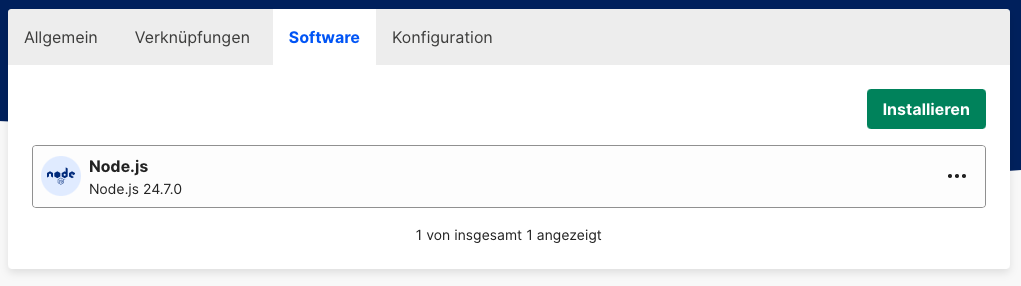
Show larger version for: The image shows a section for installing software: "Node.js version 24.7.0 is available for installation. One software listing displayed."
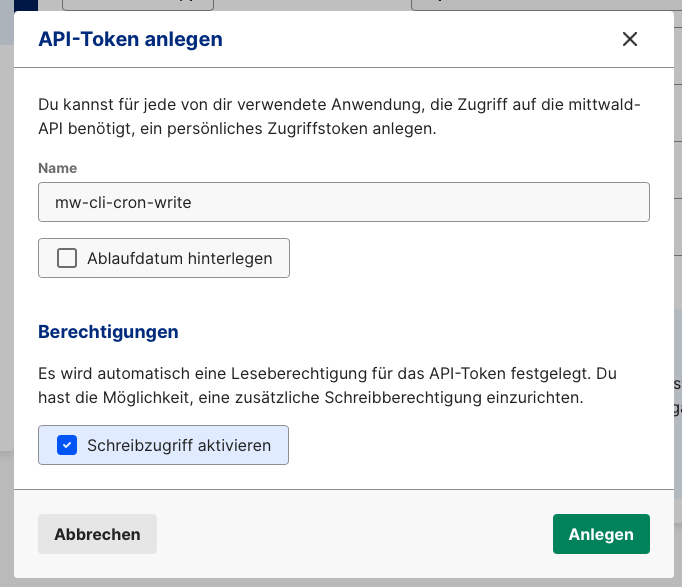
Show larger version for: German interface for creating a new API token. Fields include a name box labeled 'mw-cli-cron-write', an optional checkbox to set an expiration date, and permissions section to enable 'Schreibzugrif‌ automó nucleotidesen’ access. Two clickable buttons at the bottom: 'Abbrechen' and 'Anlegen'.

Setup requirements

You'll need a dedicated project to run the cron job:

  • Create a static site project (we only use it as execution environment)
  • Add Node.js via software management
  • SSH access to the project
  • Install the mittwald CLI: npm install -g @mittwald/cli
  • Generate an API token with write permissions:
  • Authenticate with your token: mw login token
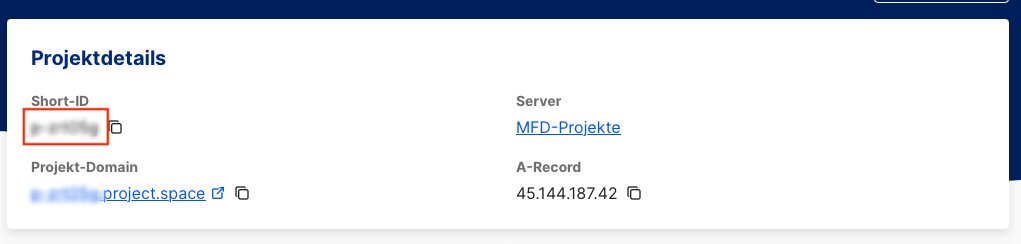
Show larger version for: A project details section showing a short project ID
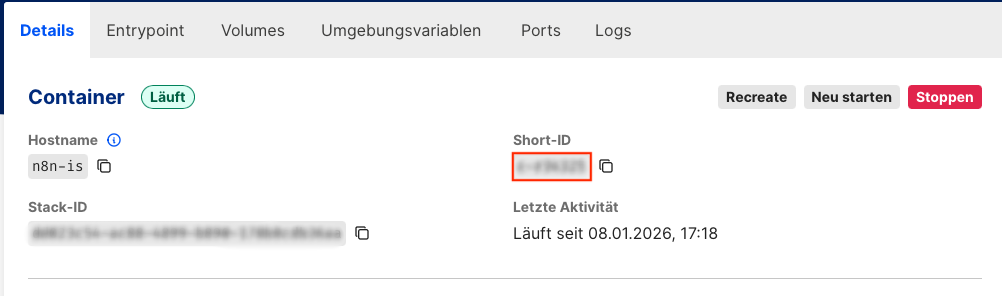
Show larger version for: This image shows a running Docker container status display. Described alternative text:interface indicating a currently active (running) container with hostname, blurred Short-ID, Stack-ID, and its last activity timestamp

Finding your project and container IDs

Each container update requires both project-id and container-id. Get them via CLI or mittwald's interface.

List all projects:

mw project list

Show containers for a specific project:

mw container ls --project-id <project-id>

Alternatively, grab the IDs from the mittwald dashboard - they're visible in the URL or container details.

The update command

Updating a container is straightforward:

mw container recreate <container-id> --pull --project-id <project-id>

The --pull flag ensures you get the latest image

recreate gives you a clean container restart
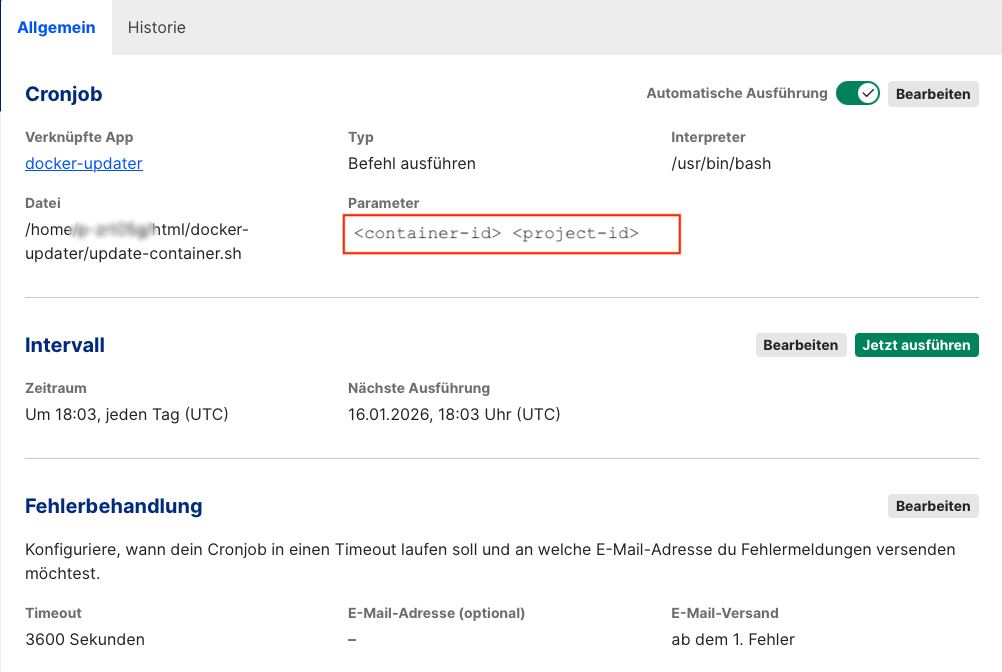
Show larger version for: This image displays a cron job configuration for a script named "update-container.sh" in the "docker-updater" app.

Automating with cron

We wrap the command in a simple bash script:

#!/bin/sh
exec /files/.mwsoftware/node/bin/mw container recreate $1 --pull --project-id $2

Now we can call this script from cron with different container and project IDs. Makes it easy to update multiple containers across different projects automatically.

A word of caution

Using :latest tags is convenient but requires some thought. If you're running databases or services with strict version dependencies, automatic updates might break things.
Also consider when to run updates - we usually schedule them during low-traffic hours.
This approach works well for our internal tools where brief downtime isn't critical.

For non-mittwald setups

When we're running containers elsewhere, we use WUD (What's up Docker) for monitoring and updates.

Ingo Schmitt

Fluent in TypoScript, php and sql; knows perl and bash and has very basic knowledge in java. Joined in 1996 and is meanwhile as managing director responsible for development, operation and hosting of our products. Articles in this blog cover technical and sustainable topics. Involved with TYPO3 as chairman of the Business Control Committee (BCC) and organizes the annual TYPO3Camp RheinRuhr.

More posts by this author

Get blog posts as RSS feed

Related blog posts

  • AWS CloudFront log analysis in Matomo
  • Efficient review environments: Why we replaced Kubernetes with Virtual Machines
  • Check the container! – Solr is moving
  • The Great Firewall – The challenges of hosting in China

Please feel free to share this article.


Comments

No comments yet.

Write a comment.

I have been informed that the processing of my data is on a voluntary basis and that I can refuse my consent without detrimental consequences for me or withdraw my consent at any time to Marketing Factory Digital GmbH by mail (Erkrather Straße 401, D-40231 Düsseldorf) or e-mail (info@marketing-factory.de).

I understand that the above data will be stored for as long as I wish to be contacted by Marketing Factory. After my revocation my data will be deleted. Further storage may take place in individual cases if this is required by law.

  • Data privacy policy
  • Legal notice

© Marketing Factory Digital GmbH

Picture Credits
  1. Picture: © Ingo Schmitt / Marketing Factory Digital GmbH
  2. Picture: © Ingo Schmitt / Marketing Factory Digital GmbH
  3. Picture: © Ingo Schmitt / Marketing Factory Digital GmbH
  4. Picture: © Ingo Schmitt / Marketing Factory Digital GmbH
  5. Picture: © Ingo Schmitt / Marketing Factory Digital GmbH
  6. Picture: © Ingo Schmitt / Marketing Factory Digital GmbH